Case study
Mach145: redesigning an ERP for aviation parts businesses.
I replaced a legacy system with a clearer, faster interface covering sales, purchasing, inventory, and repair, and added FMS Ai to cut manual data entry.
- Role
- Founder & product designer
- Timeline
- About 6 months
- Users
- Sales reps and warehouse staff
- Tools
- Figma
The problem
Aviation parts businesses were running quotes, purchase orders, and inventory on legacy systems. The interface made routine work slow and forced people to re-enter the same information in several places.
What I did
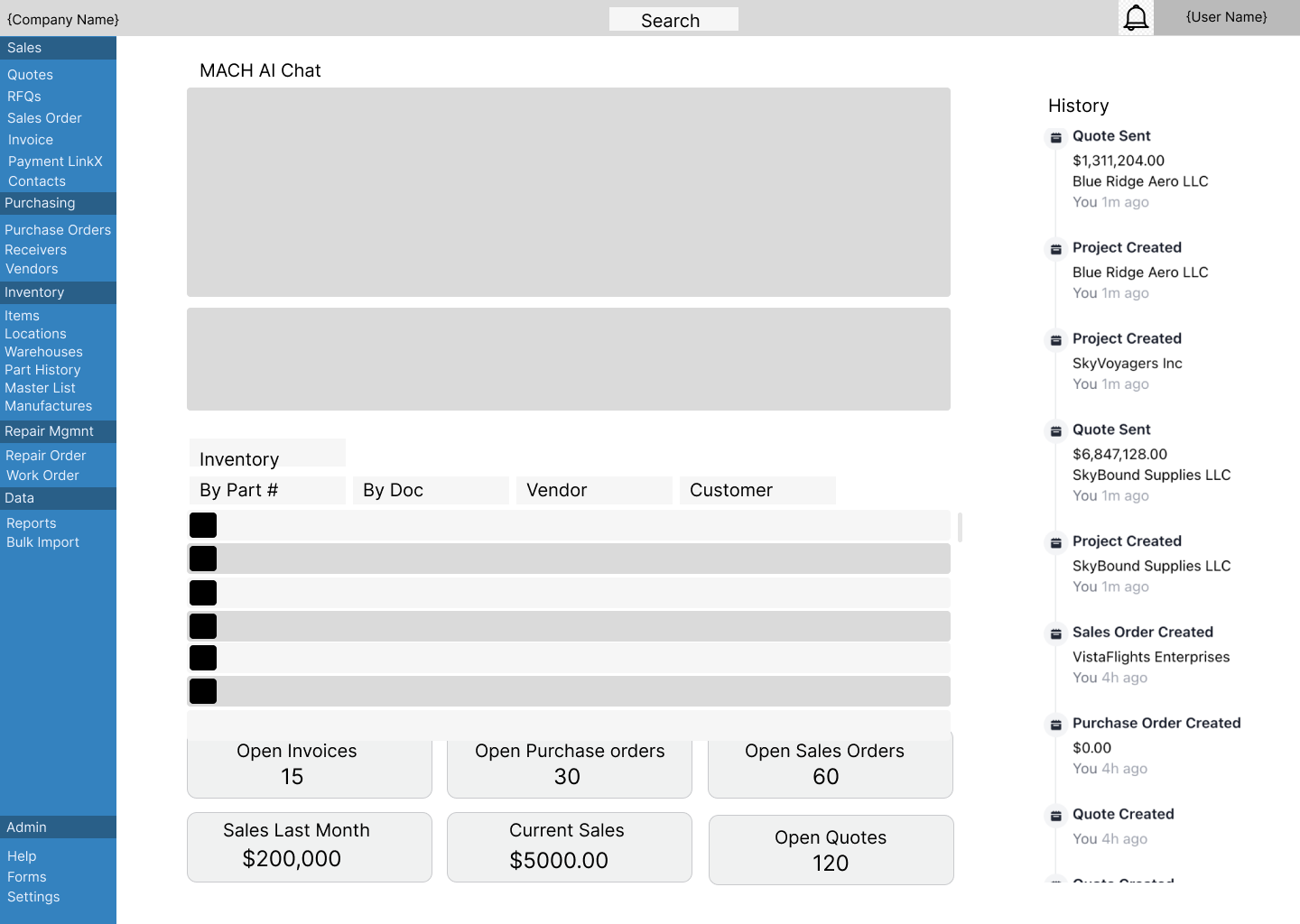
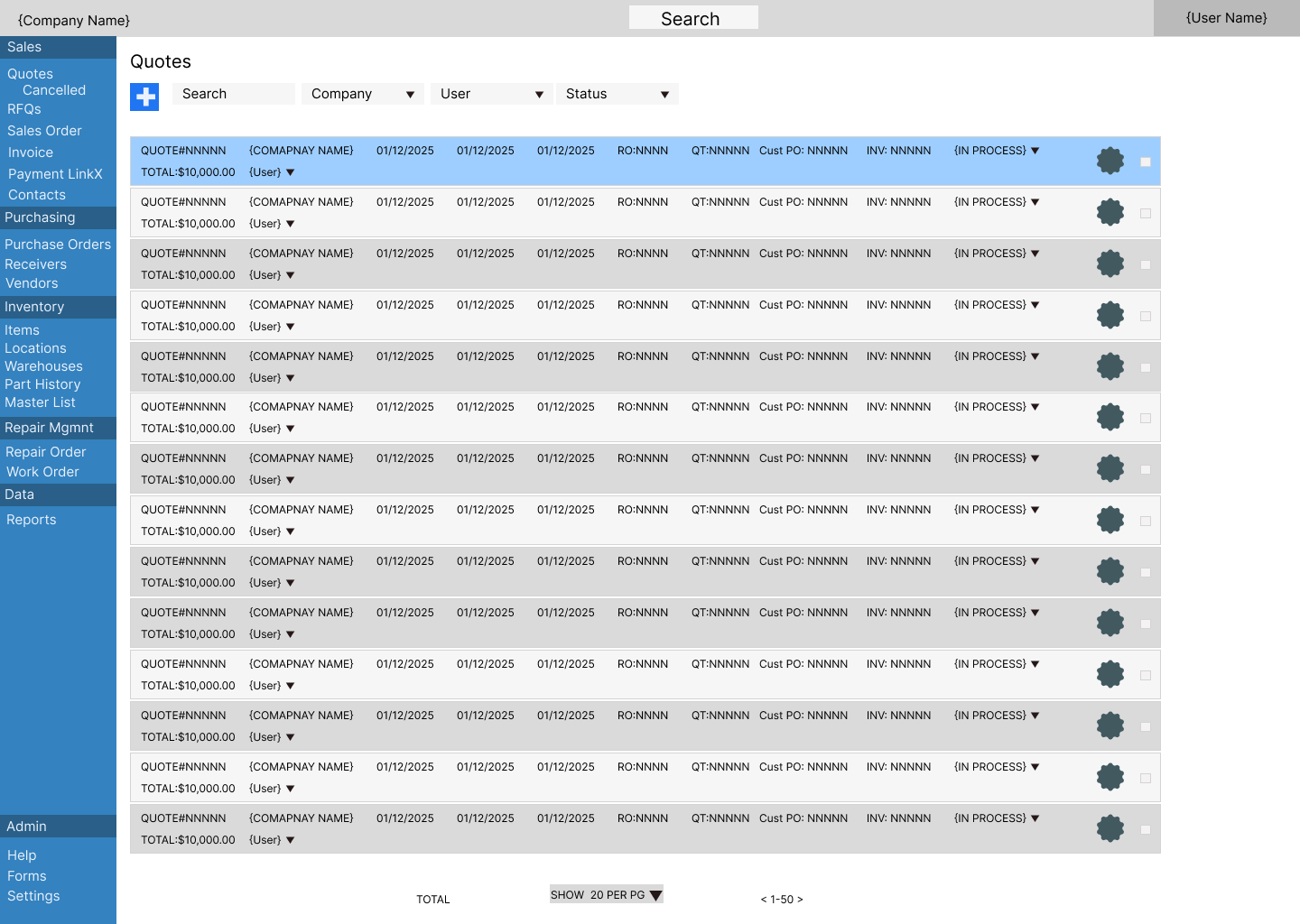
- One navigation model for a large system. I grouped dozens of screens into Sales, Purchasing, Inventory, Repair, Data, and Admin in a persistent sidebar, so users always know where they are.
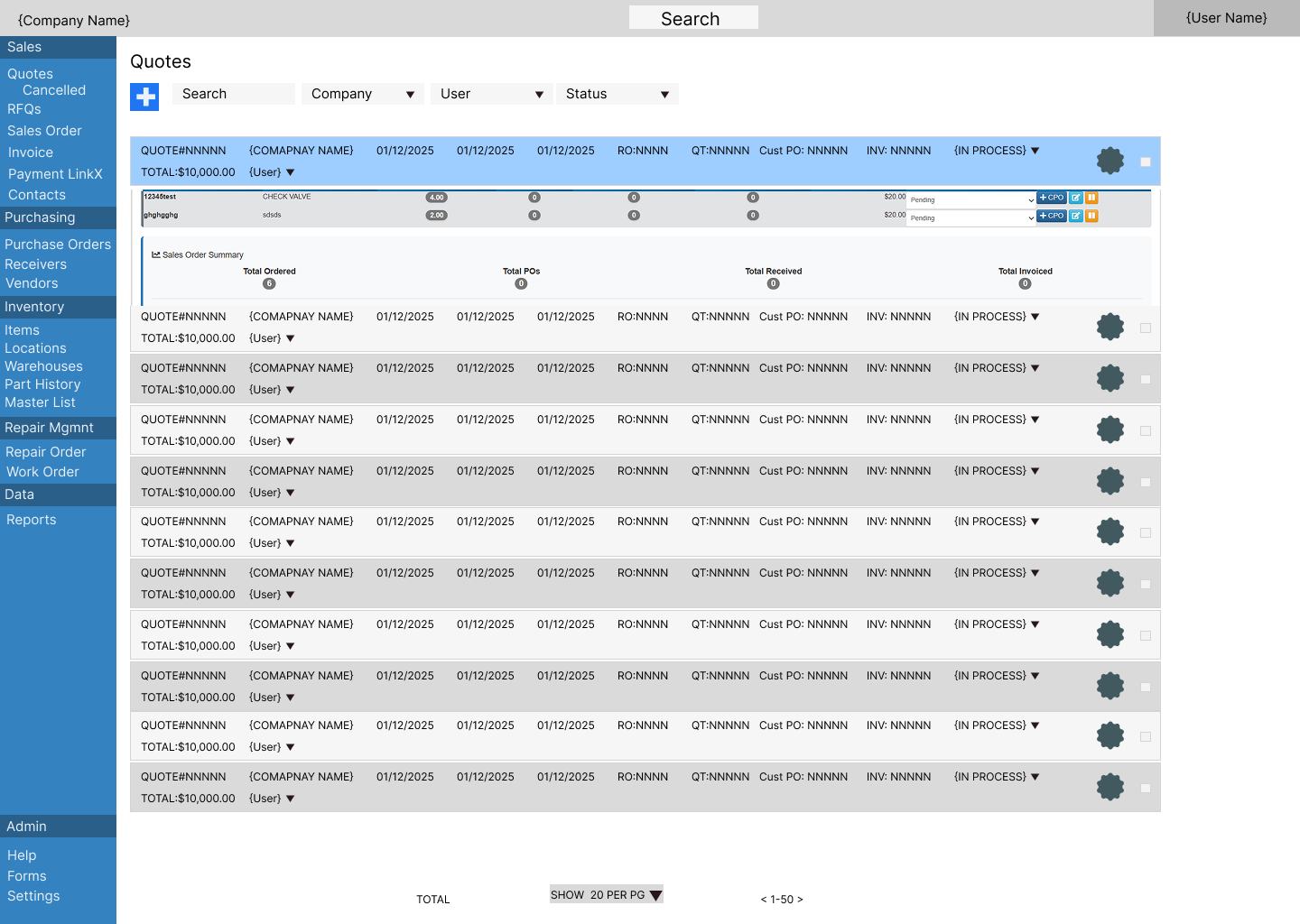
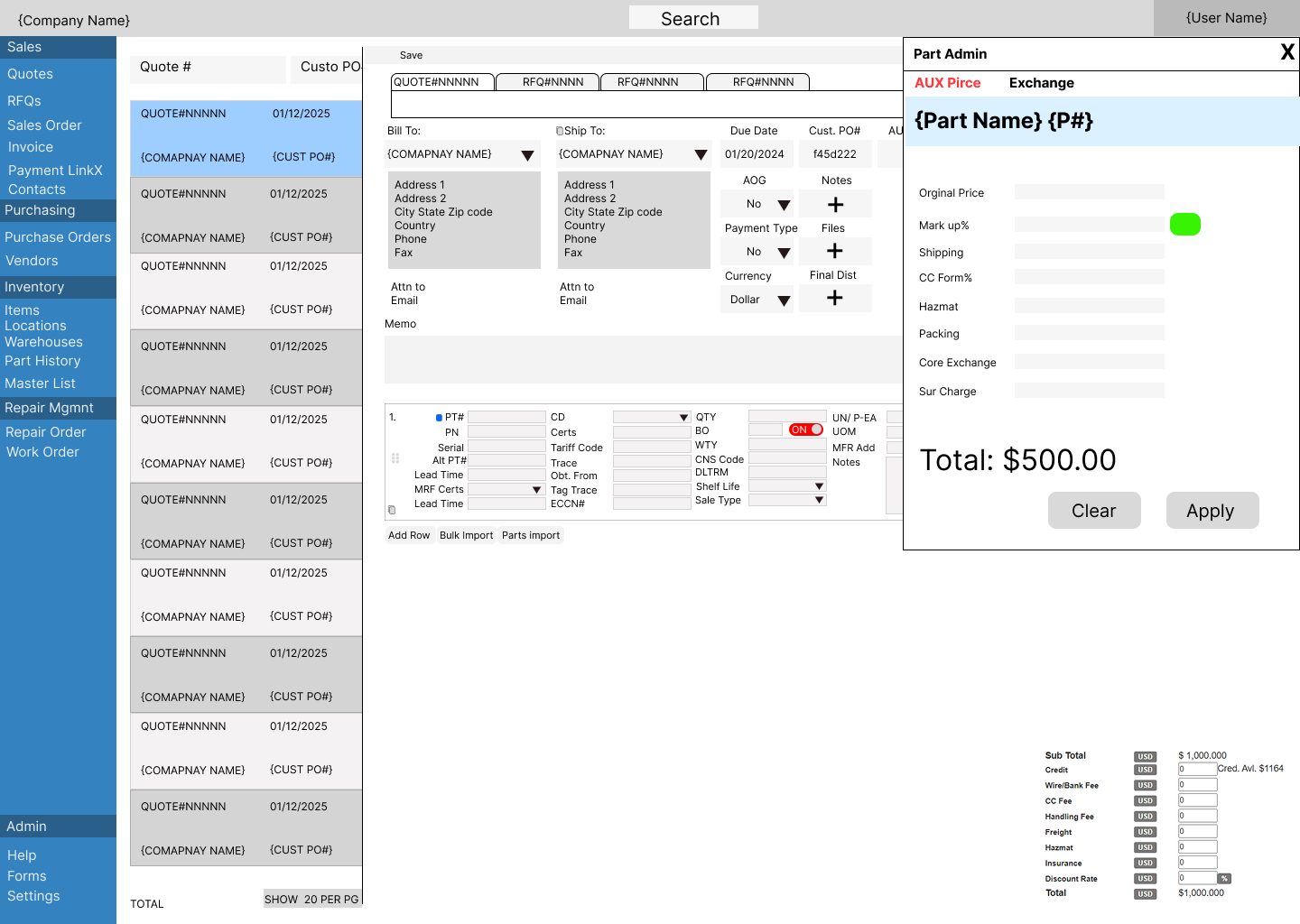
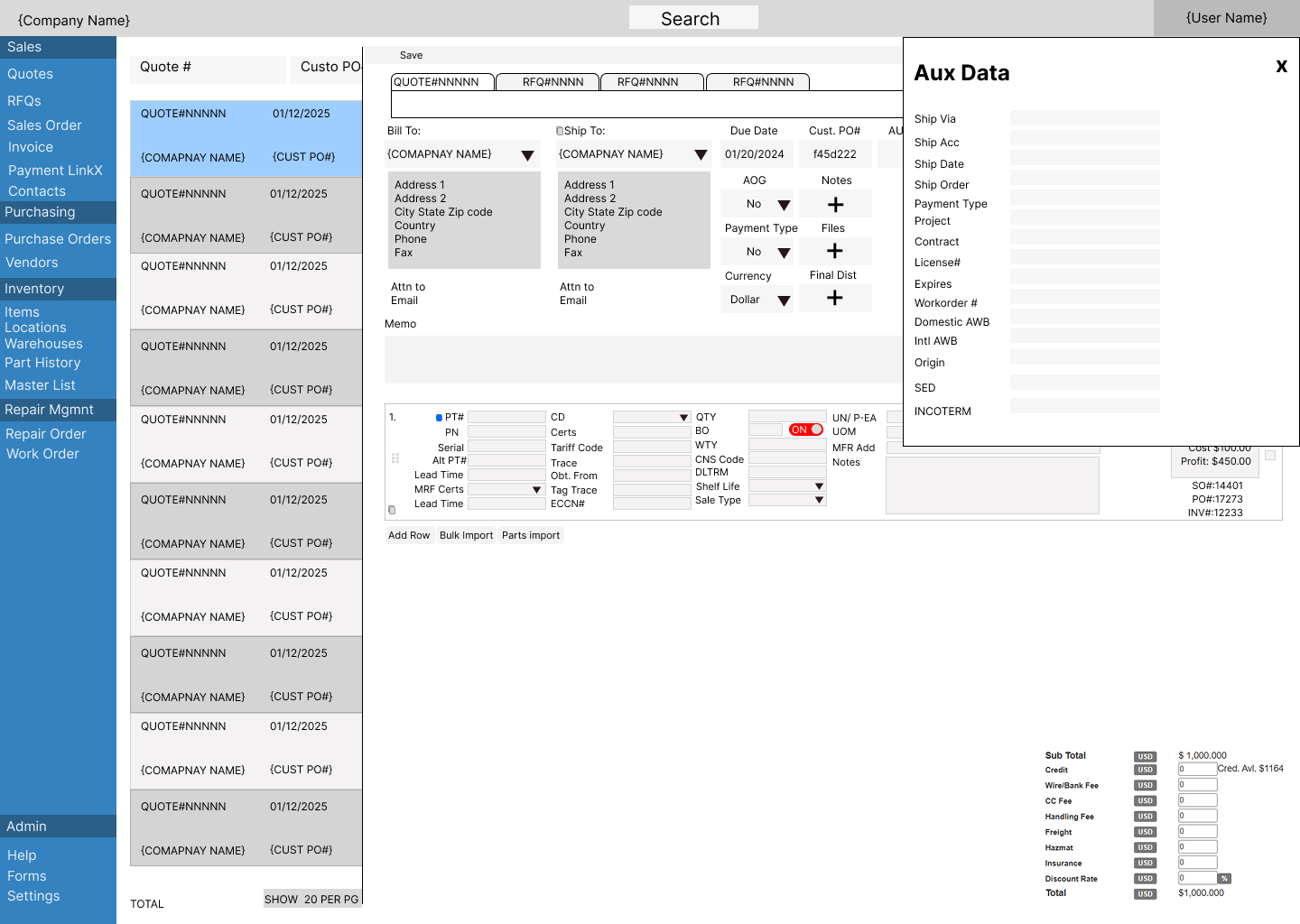
- Dense forms, kept manageable. The quote editor holds a lot of fields. I moved secondary data into side drawers (Part Admin for pricing, Aux Data for shipping) and made list rows expandable, so people stay in context.
- Create a PO from a quote line. A single action (+CPO) turns a quote line into a purchase order, without re-keying data.
- FMS Ai. An AI document reader that fills in fields from incoming documents, reducing manual input.
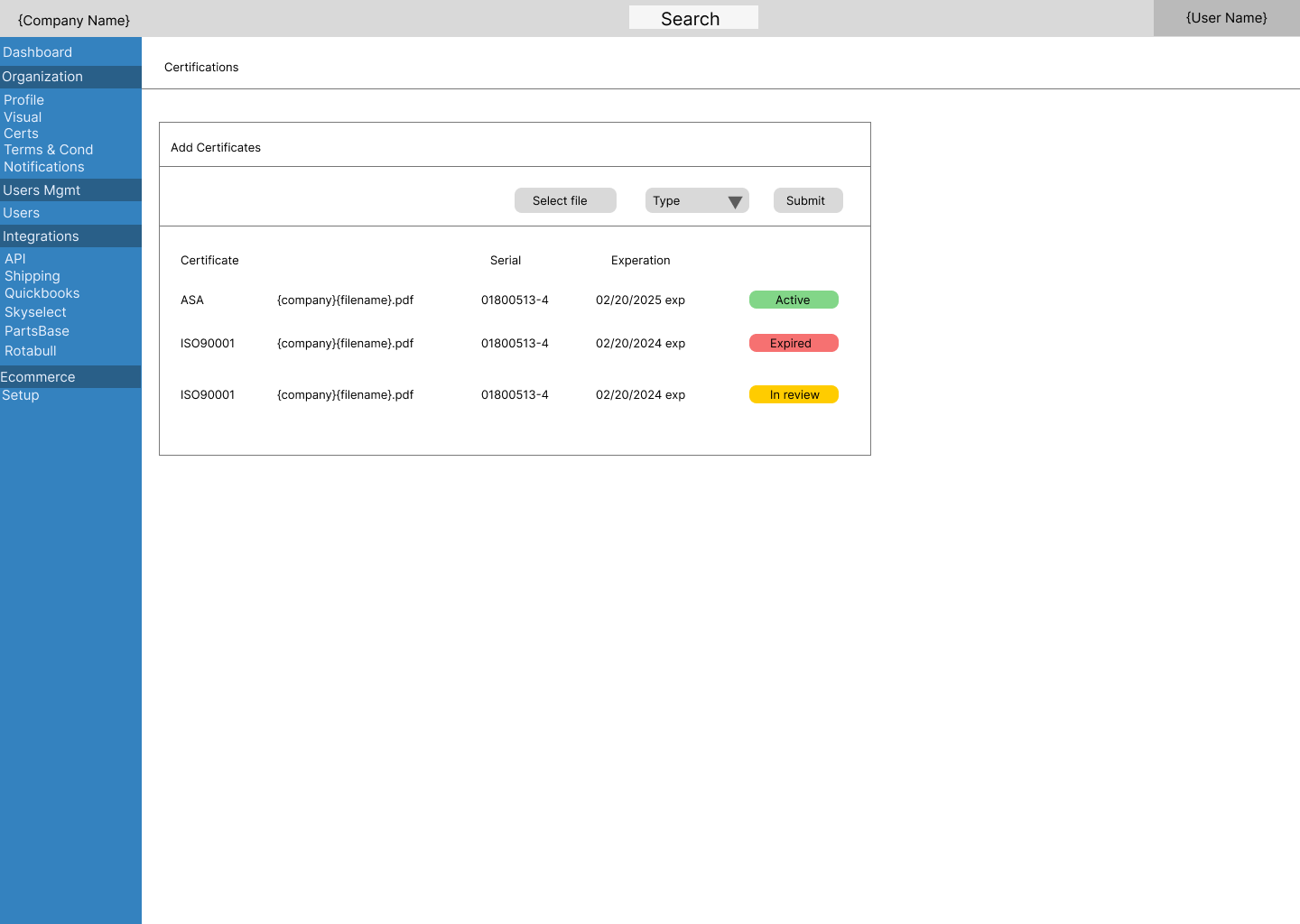
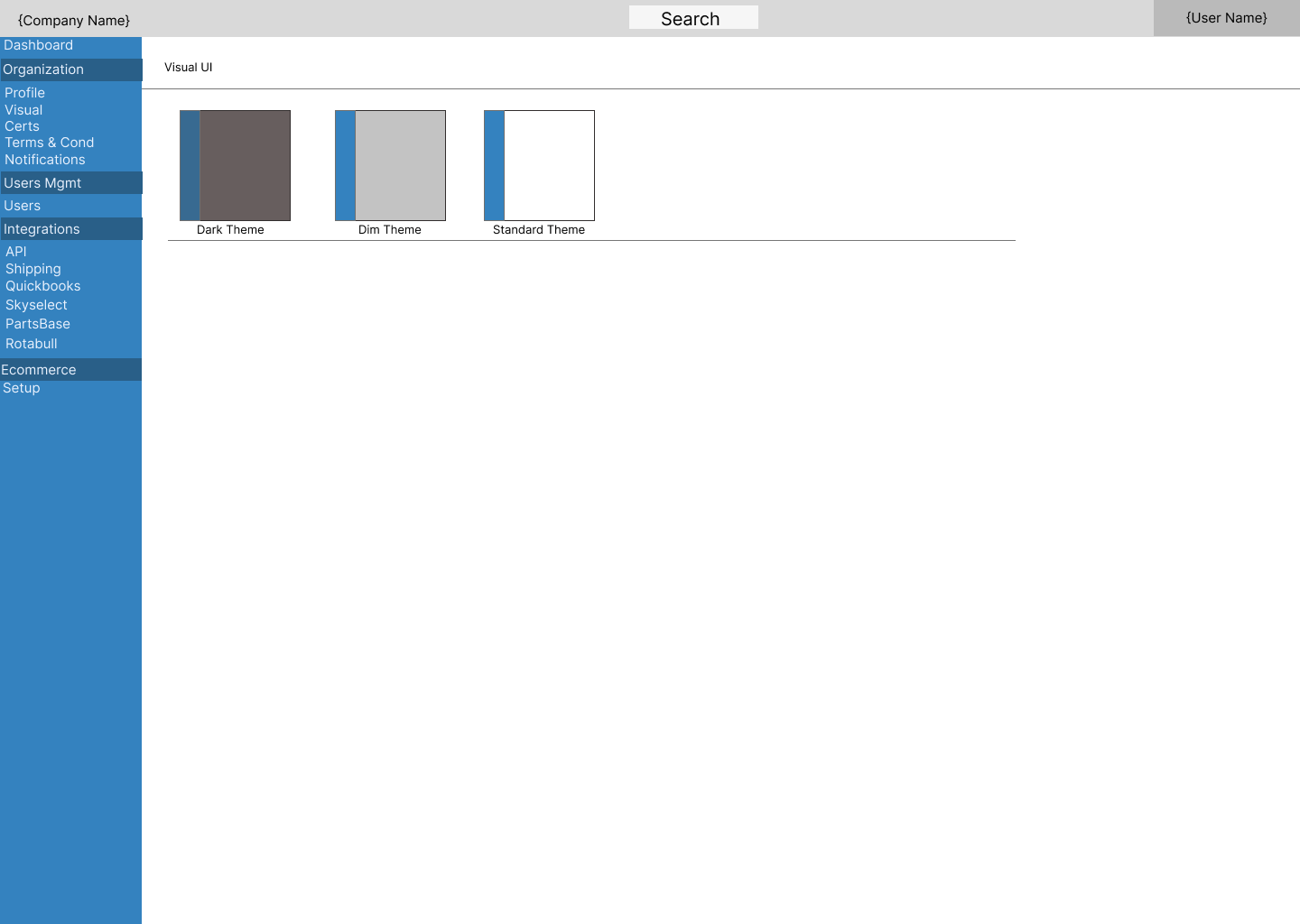
- Readable status and personal themes. Status pills carry text labels, and users can choose Dark, Dim, or Standard themes.
Outcome
$85M+
in invoices processed on the platform. Users processed quotes and POs faster, and FMS Ai reduced the amount of data they had to enter by hand.
What I’d do differently
I would start by mapping a baseline workflow, then study the non-standard purchases that don’t fit it, and design how those exceptions flow through the system from the beginning instead of adding them later.
Inventory screens coming soon.